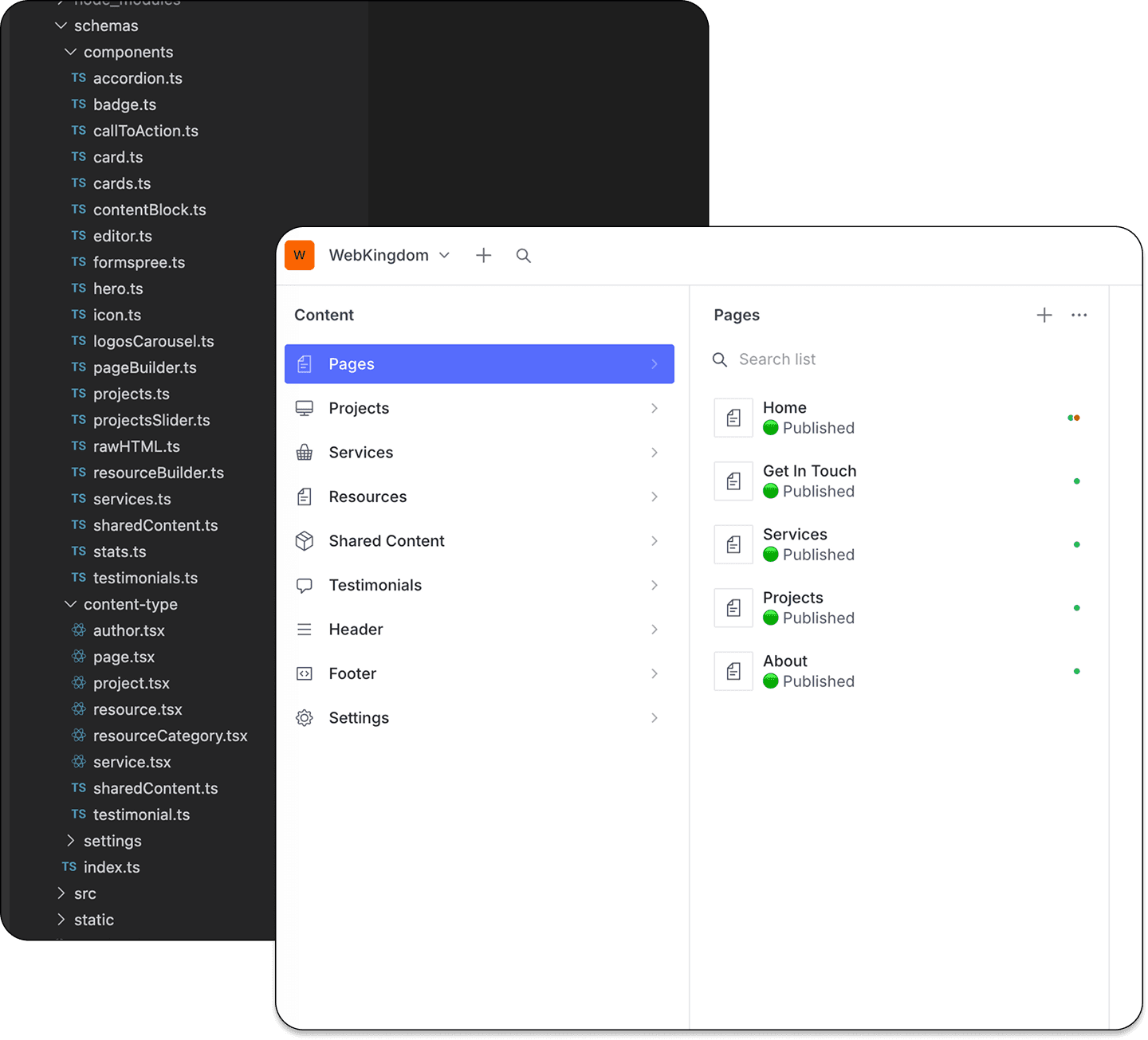
Headless CMS development agency in Australia, built on Sanity

WebKingdom is a headless CMS development agency based in Menai, NSW, building Sanity and Next.js websites for businesses across Australia. You deal directly with me — the developer who designs your content model, builds your site and supports it after launch.

I help businesses and teams design, build, and maintain custom Sanity setups that are easy to manage today and ready to grow tomorrow.

Whether you’re launching a new website or moving away from a traditional CMS, I’ll make sure your content model, editor experience, and frontend work seamlessly together.

See my work

What you get

What a headless CMS development agency actually does

A headless CMS keeps your content separate from how it's displayed: your team edits in a purpose-built studio, and the website is its own fast frontend that pulls the content in through an API. I build the whole chain myself — so nothing gets lost between a designer, a developer and an account manager, and if a traditional CMS would serve you better, I'll tell you.

  • Content modelling

    Schemas designed around how your team actually writes and publishes.

  • Studio setup

    Reusable blocks, sensible field groups and validation that prevents broken pages.

  • Frontend build

    Next.js and React, with GROQ queries and data fetching.

  • Preview and visual editing

    Editors see every change on the real page before they publish.

  • Fast, cached delivery

    Pages served from the edge, built for strong Core Web Vitals.

  • Launch and support

    Deployment, environments and ongoing improvements from the developer who built it.

Structured content

Sanity, built the way your team actually works.

Custom schemas designed around your editorial flow — reusable blocks, sensible field grouping and validation that prevents broken pages before they happen.

See it in practice: InnerFit moved from WordPress to Sanity and Next.js, and its team now manages structured content without touching code.

Moving from WordPress? Here’s how a WordPress to Sanity migration works, or compare platforms on the headless CMS page.

Composable blocks

Editors assemble pages without needing dev support.

Typed content

Auto-generated TypeScript types, no runtime surprises.

Visual editing

Click into the frontend to edit — no context switching.

innerfit.com.auSanity + Next.js

Choosing a platform

Sanity or Contentful: which platform fits?

Capability
Sanity
Contentful
Best for
Marketing sites, content-heavy and multilingual sites
Larger organisations with several teams
Content model
Schemas written in code, versioned with the site
Content types set up in the web app
Editing
A studio shaped around your workflow, with live visual editing
An established, structured entry editor
Governance
Roles and workflow tailored to your team
Formal roles and environments for big teams

Frontend

Fast, cached and preview-ready.

Next.js with incremental static regeneration + preview URLs — editors see changes instantly, visitors get a fully cached page.

Instant preview

Draft content shown in the frontend before publish.

Cached at the edge

CDN-first delivery so pages load in ms, not seconds.

Structured SEO

JSON-LD generated from schemas, no manual tagging.

innerfit.com.auISR + CDN

Why go headless

Why Australian businesses choose headless

  • Faster pages

    Cached at the edge and served from a CDN, so pages load quickly and Core Web Vitals improve — no plugin stack slowing things down.

  • Safer editing

    Clear fields and validation stop broken pages before they go live, and editors are no longer boxed in by a theme.

  • Built to last

    Content is stored as structured data, so you can redesign the frontend or add a channel without migrating it again.

How it works

How a headless CMS project runs

  1. Discovery

    I review your current site, your content and how your team publishes.

  2. Content model

    I design the schemas and agree them with you before building.

  3. Build

    Sanity Studio, the Next.js frontend, GROQ queries and preview.

  4. Migration

    If you need it: content, URLs and SEO moved across from WordPress or another CMS.

  5. Launch

    Deployment, environments and checks before go-live.

  6. Support

    Improvements and maintenance as your site grows.

Ready to build something better?

Tell me about your project and I'll come back with honest advice — usually the same day.

Sanity Development – FAQs